Curriculum
Customer Service Strategies for Logistics Professionals
Module 1: Introduction to Customer Service
0/3

Module 2: Mastering Communication & Professionalism
0/3

Module 3: Speed & Responsiveness in Customer Service
0/3
Module 4: Managing Customer Interactions & Problem-Solving
0/3
Module 5: Accuracy & Attention to Detail
0/3
Module 6: Building Long-Term Customer Relationships
0/4
Module 7: Leveraging Technology & Tools for Efficiency
0/2
Module 8: Growing Your Career in Customer Service
0/3
Case Studies
0/2
Preventing Costly Mistakes in Logistics
Accuracy is the foundation of reliable logistics. A single mistake—such as an incorrect address or a misentered invoice—can cause delivery delays, additional costs, and customer frustration.
In this lesson, you’ll learn the importance of double-checking key information, how small errors can have big consequences, and best practices to ensure accuracy in every interaction.
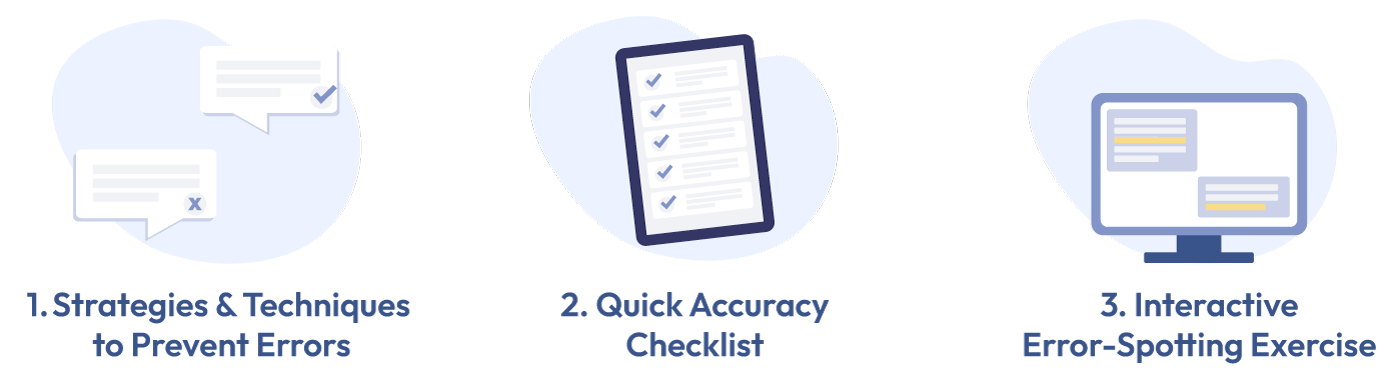
1. Strategies & Techniques to Prevent Errors
Even without expensive tools, CSRs can improve accuracy by using these simple yet effective methods:
Use the “Read & Repeat” Confirmation Method
How it Works:
- Instead of assuming customer details are correct, repeat key details aloud and ask the customer to confirm.
- Example: “Just to confirm, your shipment is going to 125 Oak Street, New York, NY, 10001. Is that correct?”
- This avoids errors in addresses, invoices, and tracking numbers.
Cross-Check with Reference Docs
How it Works:
- Keep a quick-access reference list for port codes, common SKUs, weight conversions, and freight classes.
- When entering data, always compare it with official documents (e.g. invoices, BOLs, previous shipments).
- Example: Before submitting a shipment request, check if the cargo dimensions match the customer’s invoice to avoid rejections.
Leverage Free Productivity Tools
How it Works:
- Use free tools to stay organized (Google Keep or Notion: For checklists & reminders and Trello or ClickUp: To track pending tasks)
- These tools help CSRs stay on top of open cases and prevent forgotten tasks.
2. Quick Accuracy Checklist (Use Before Submitting Any Data)
Before finalizing any shipment or customer request, follow this simple checklist:
- Verify Data Entry: Check for typos in addresses, shipment weights, and contact details.
- Cross-Check with Documents: Compare with the invoice, Bill of Lading, or customer email.
- Confirm Details with the Customer: Repeat key details aloud and get verbal confirmation.
- Double-Check Shipment Labels: Ensure printed labels match the order details.
- Review Before Hitting Submit: Take a moment to re-read before sending any email or document.
3. Interactive Error-Spotting Exercise
Scenario: A customer emails a CSR with a shipping request. The CSR processes the request, but something goes wrong. Your job is to identify the mistake and determine what should have been done differently.
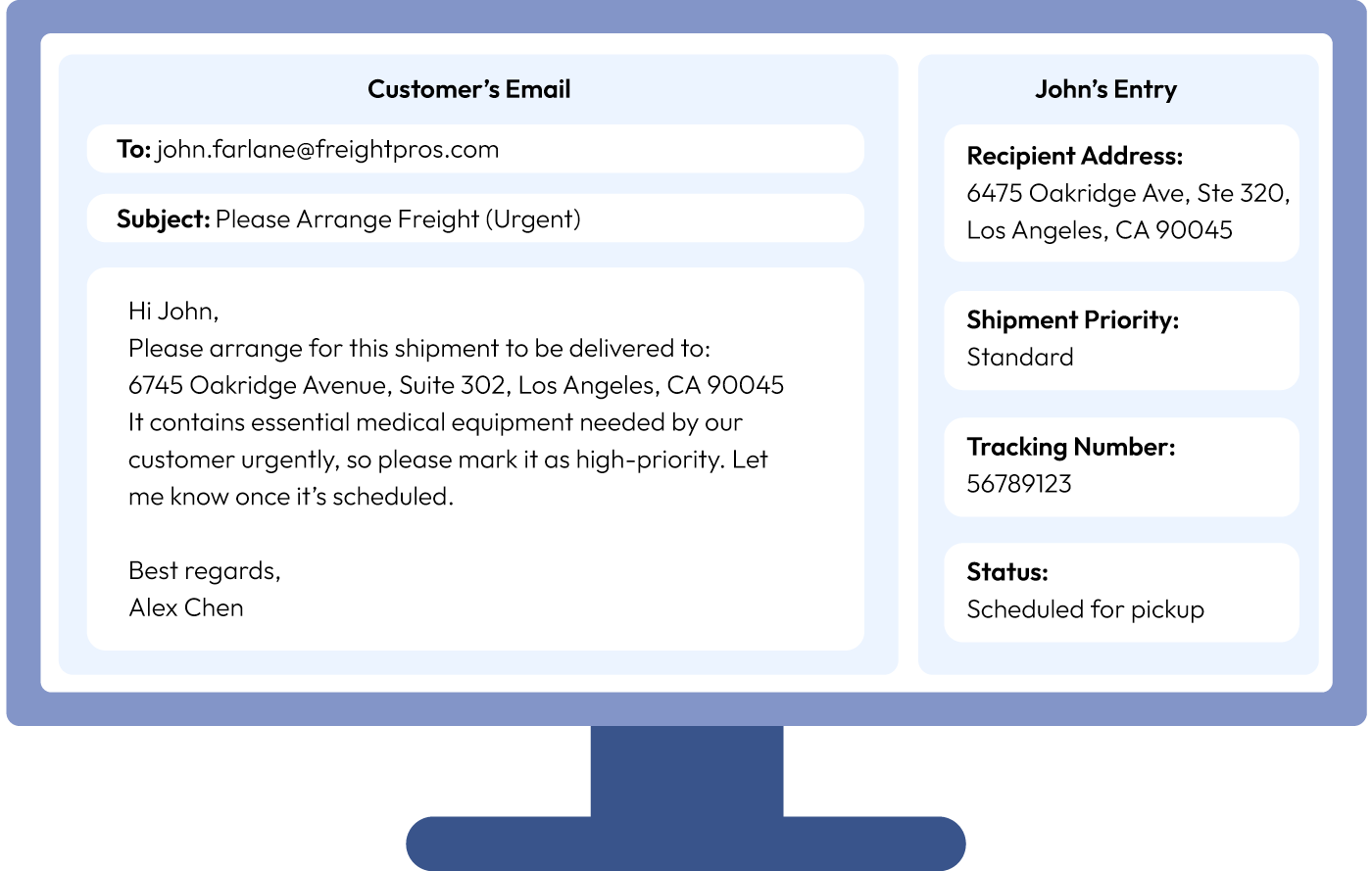
What mistakes did John make? Try to find them before checking the answer below.
| Mistake | Error Type | Why It’s a Problem | What Should Have Been Done |
| Transposed address numbers (6745 → 6475) and suite numbers (302 → 320) | Clerical Error | The shipment could be delivered to the wrong address, leading to costly delays. | Copy and paste addresses from emails rather than typing manually. Use the “Read & Repeat” method to confirm with the customer before finalizing. |
| Shipment priority set to “Standard” instead of “High-Priority” | Not Following Customer Instructions | The customer specifically mentioned it was urgent, which requires immediate attention. | Carefully review the entire request before submitting the job. Highlight key details like priority status and shipment type. |
| Did not confirm details with the customer before scheduling | Lack of Verification | If the mistake is caught too late, rerouting could be expensive or even impossible. | Before submitting, send a confirmation email to verify that all details are correct. |
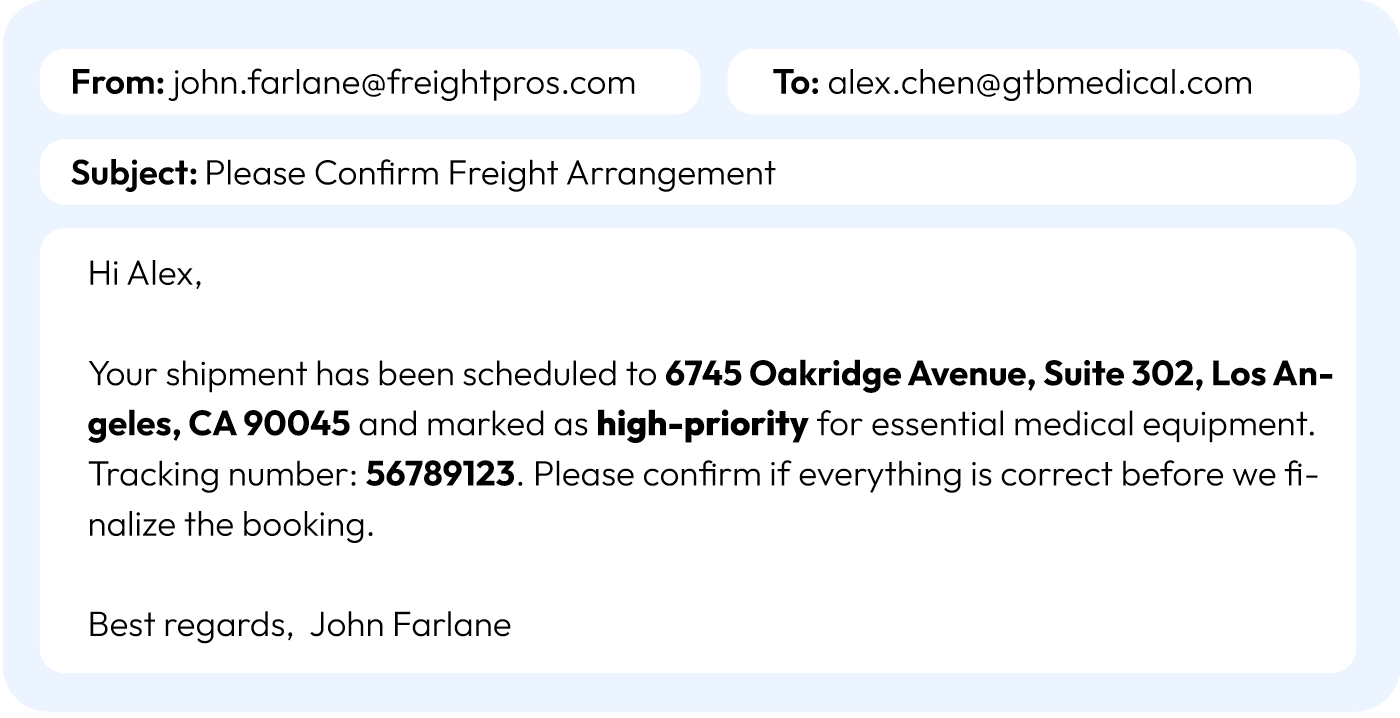
Here’s a fixed email response from John to Alex to confirm the details before finalizing the booking.
Small errors in data entry can lead to major consequences in logistics. Always double-check details, confirm with customers, and follow their instructions exactly. In your next shipment request, try using the copy-paste method and confirmation email to prevent errors!